

 Jinba Flow
 Jinba App
 Jinba Toolbox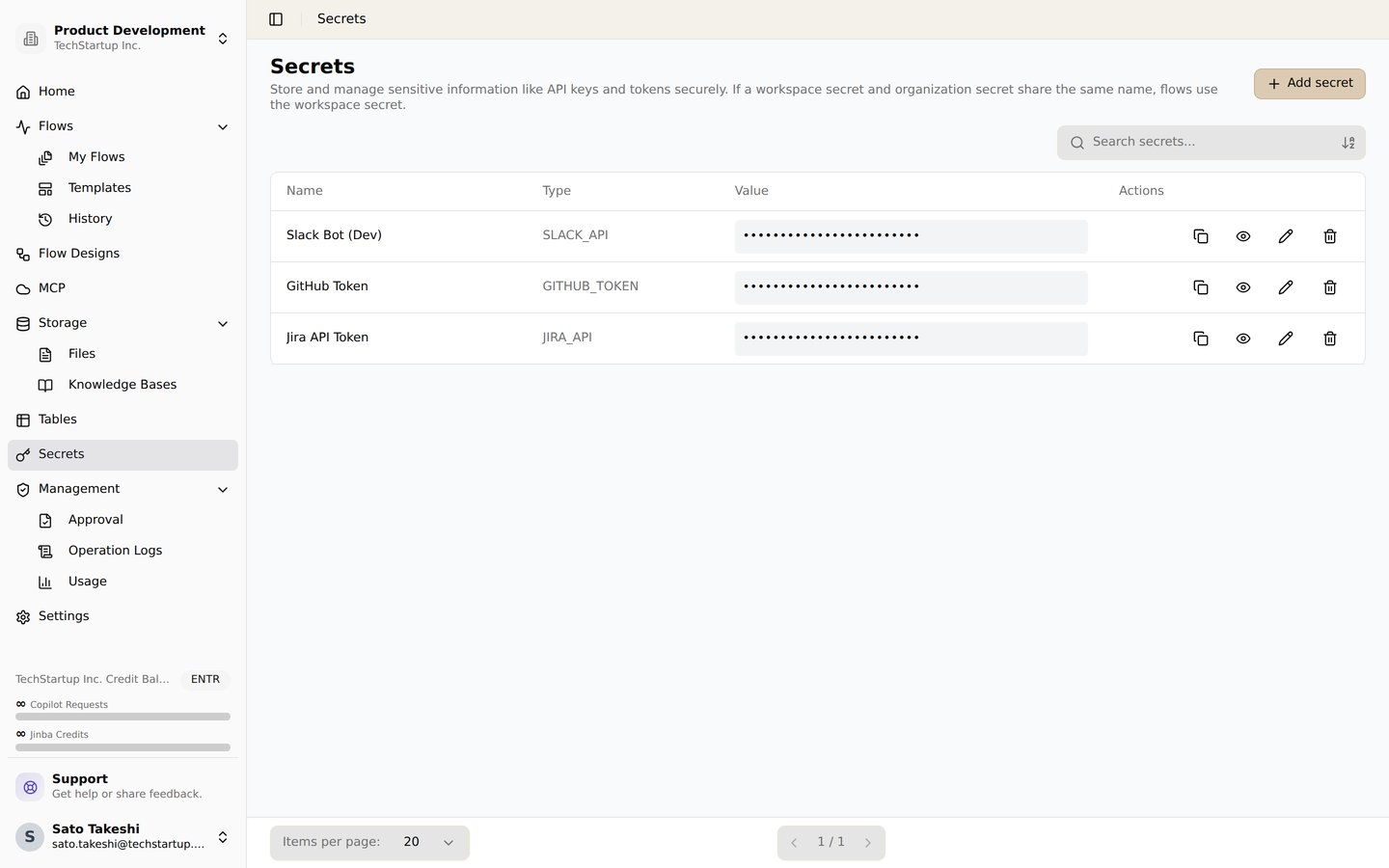
The secrets screen. Store API keys and tokens securely and reference them from flows
Overview
Jinba Flow supports integration with various external services through API keys and OAuth connections. This section provides detailed instructions for setting up credentials for each supported service.Available Credentials
AI Services
Configure credentials for AI and language model services:- Anthropic - Claude API integration for advanced AI capabilities
- OpenAI - GPT models and OpenAI services integration
- Llama - Local and cloud Llama models integration
- Gemini - Google Gemini AI integration
- Grok - xAI Grok integration
Communication Platforms
Set up integrations with messaging and collaboration platforms:- Slack - Slack workspace integration for team communication
- Discord - Discord bot integration for community engagement
- LINE - LINE messaging platform integration
- Intercom - Intercom access token for messaging and customer events
- Chatwork - Chatwork collaboration tool integration
- Twilio - Twilio credentials for SMS/WhatsApp messaging
Productivity Tools
Connect with productivity and workflow management tools:- Jira - Jira Cloud API token for issue and project management
- Notion - Notion workspace integration for knowledge management
- Google OAuth - Google services integration (Gmail, Sheets, Calendar, etc.)
- GitHub - GitHub integration for repository management and automation
- SmartHR - SmartHR API credentials for employee (crew) management
- HubSpot - HubSpot access token for CRM contact management
E-commerce Platforms
Integrate with e-commerce and marketplace platforms:AI/ML Services
Configure credentials for specialized AI and ML services:Setting Up Credentials
Follow these general steps to configure credentials for any service:- Navigate to your workspace settings in Jinba Flow
- Go to the “Credentials” or “Secrets” section
- Select the service you want to configure from the list
- Follow the specific instructions provided in each service’s documentation page
- Enter your API key, OAuth credentials, or other required information
- Test the connection to ensure it’s working properly
- Save your credentials securely
Security Best Practices
- Never share your API keys - Keep your credentials private and secure
- Use environment variables - For production deployments, consider using secure environment variable storage
- Rotate keys regularly - Periodically update your API keys for enhanced security
- Review access permissions - Regularly audit which services have access to your credentials
- Use OAuth when available - OAuth provides more secure authentication than API keys for supported services
Need Help?
If you encounter issues setting up credentials:- Check the specific service’s documentation page for detailed instructions
- Verify that your API keys are valid and have the correct permissions
- Ensure your workspace has the necessary permissions to access external services
- Contact support if you need additional assistance