

 Jinba Flow
 Jinba App
 Jinba Toolbox
What is Connector Management
The Connector Management screen allows you to manage connectors that connect Jinba App with external services.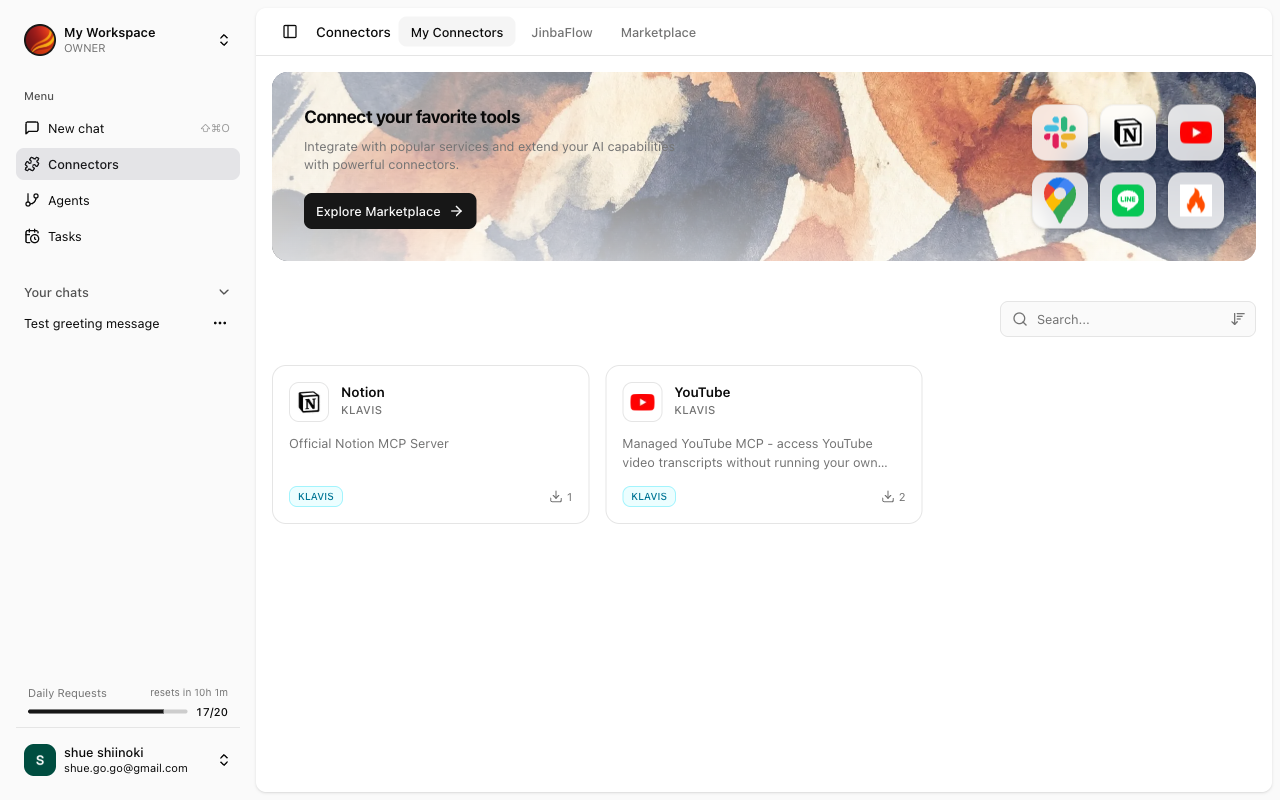
Screen Layout
The Connector Management screen consists of the following sections:My Connectors
Displays a list of installed connectors.- Search and sort connectors
- Re-fetch, uninstall, and rename connectors
- Access to Form Execution screen
Jinba Flow Connectors
Displays a list of connectors available from Jinba Flow.- Search Jinba Flow connectors
- One-click connect and install
- Refresh or disconnect connections
Types of Connectors
Various types of connectors are available in Jinba App.What Connectors Can Do
With connectors, AI can perform the following operations on external services:Retrieve Data
Get information from external services and use in chat
Create Data
Create new records or files in external services
Update Data
Update existing data in external services
Delete Data
Delete data in external services
Accessing Connector Management
1
Click 'Connectors' in the Side Panel
Select “Connectors” from the side menu.
2
Connector Management Screen Appears
The My Connectors and Jinba Flow Connectors sections are displayed.
Key Features
My Connectors
List and search installed connectors
Marketplace
List and install standard MCPs
Managing Connectors
Re-fetch, uninstall, and rename connectors
Form Execution
Execute tools individually using forms
Jinba Flow
Connect and install Jinba Flow connectors