

 Jinba Flow
 Jinba App
 Jinba Toolbox
What is Agent Management
The Agent Management screen allows you to create and manage AI agents. Agents are reusable AI configurations specialized for specific tasks or purposes.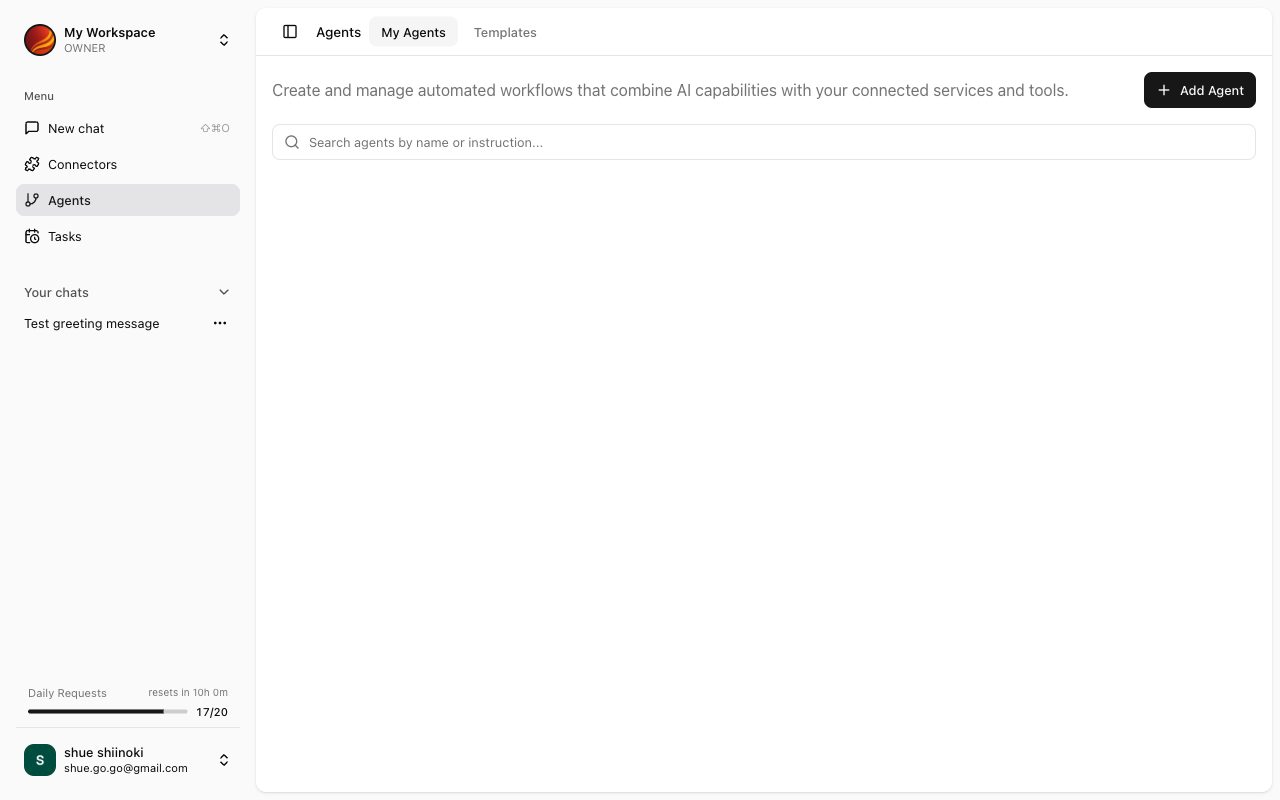
What are Agents
Agents are defined by combining the following elements:
By setting these up in advance, you don’t need to repeat the same settings each time you chat.
Screen Layout
The Agent Management screen consists of the following sections:Agent List
Displays a list of created agents. For more details, see Agent List.Agent Builder
The screen for creating and editing new agents.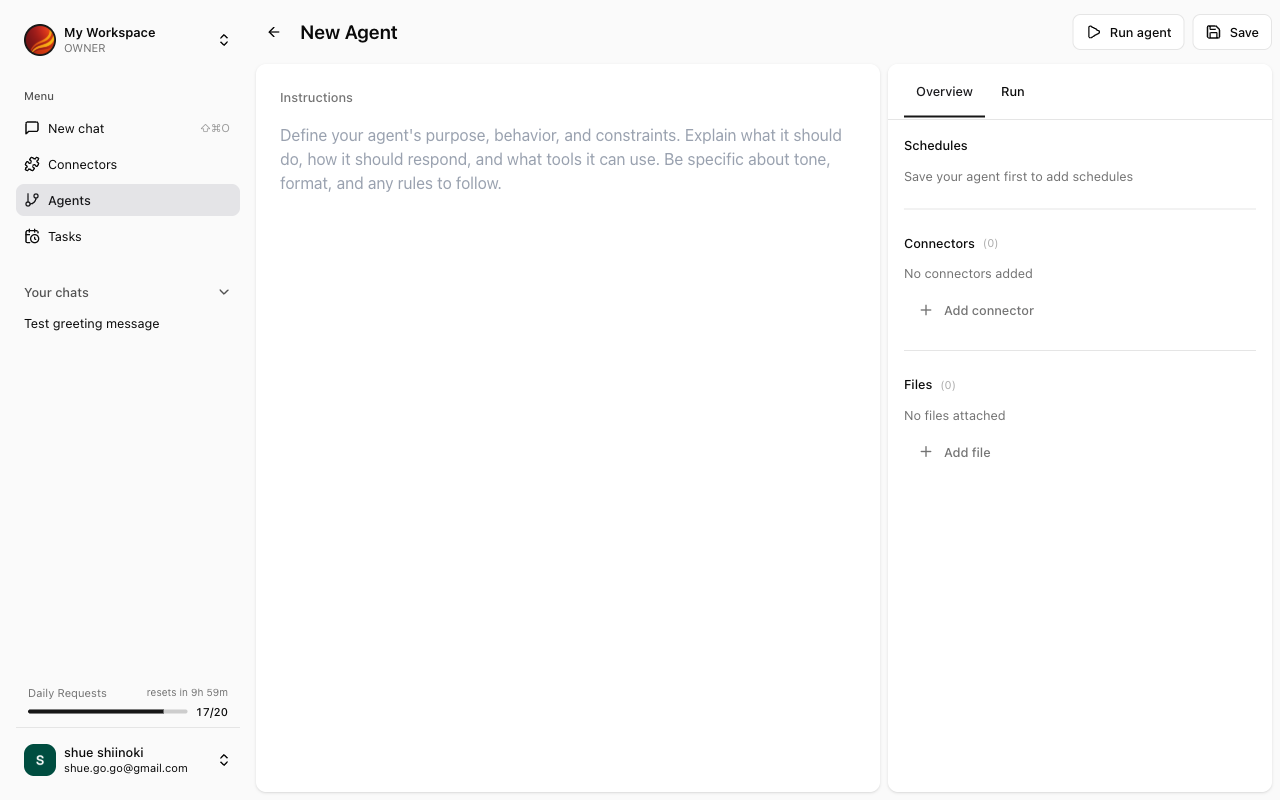
Access Control
Agent editing is only permitted for workspace owners.Members can still chat using published agents.
Accessing Agent Management
1
Click 'Agents' in the Side Panel
Select “Agents” from the side menu.
2
Agent Management Screen Appears
The agent list is displayed.
Key Features
Agent List
Search, duplicate, edit, and delete agents
Agent Builder
Create and configure agents
Agent Details
View detailed agent information
Publishing
Publish agents and run as apps
Agent Use Cases
For Individuals
News Summary Agent
News Summary Agent
- Instructions: “Summarize the latest news articles and list the important points as bullet points”
- Connectors: RSS feeds, News APIs
- Reference Files: None
Study Notes Agent
Study Notes Agent
- Instructions: “Extract important points from uploaded learning materials and create review notes”
- Connectors: None
- Reference Files: Educational PDFs, Lecture materials
Travel Planning Agent
Travel Planning Agent
- Instructions: “Suggest recommended tourist spots and travel routes considering budget and schedule”
- Connectors: None
- Reference Files: Travel guides
For Teams & Business
Sales Report Agent
Sales Report Agent
- Instructions: “Retrieve this month’s deal data from Salesforce and create a weekly sales report”
- Connectors: Salesforce
- Reference Files: Report template
Customer Support Agent
Customer Support Agent
- Instructions: “Reference the FAQ document to answer user questions”
- Connectors: None
- Reference Files: FAQ document, Product manual
Data Analysis Agent
Data Analysis Agent
- Instructions: “Analyze sales data and report trends and anomalies”
- Connectors: Google Sheets, BigQuery
- Reference Files: Analysis criteria document