

 Jinba Flow
 Jinba App
 Jinba Toolbox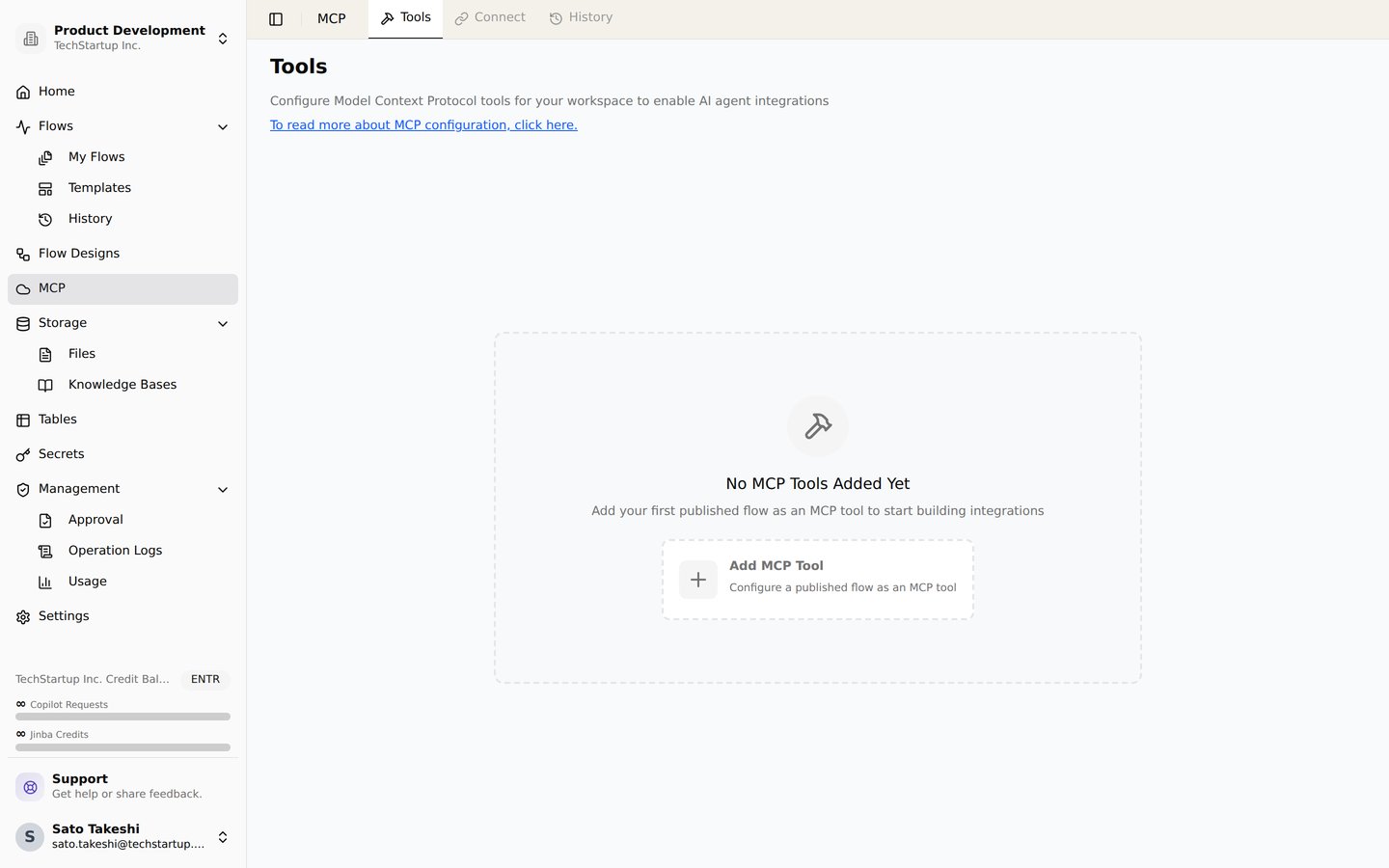
The MCP page. Add published flows in the workspace as MCP tools
What is Model Context Protocol (MCP)?
MCP is an open protocol that standardizes how applications provide context to LLMs. Think of MCP like a USB-C port for AI applications. Just as USB-C provides a standardized way to connect your devices to various peripherals and accessories, MCP provides a standardized way to connect AI models to different data sources and tools. Read more here.Setting Up Your Workspace MCP server
When you set up a flow, you can use tools beginning withINPUT_ to set the inputs that your tool will have. For example,
word_1 and word_2 for the MCP tool. Please note that tool IDs, not names, are used to reference the tools in the flow. After you add these INPUT_ tools, you can navigate to the MCP tab of your workspace to configure flows to be used for MCP, set prompts for the flows to describe what they do, and set the prompts for the parameters of your configured flows as well.
Connecting to LLM
To connect your workspace MCP to an LLM, use the sample configuration found on the MCP tab of your workspace. Remember to replace the secret key! If you have no other MCP servers, you can paste the whole file, otherwise, you can add just thejinbaflow section (for Jinba Flow) to your file.
Here is an example of a configuration file:
Set YOUR_TOKEN to a workspace API key or a personal API key (sk-user-…) created in your profile settings.
Personal key owners must be members of the target workspace and have permission to run flows. Frozen and archived workspaces cannot be accessed with personal keys.
With a personal key, runs are attributed to the key owner, and flows use that owner’s personal secrets. Credits are charged to the organization that owns the flow’s workspace.
A personal key can access multiple workspaces, so do not share it with others. Revoking the key or leaving the workspace blocks subsequent requests.