

 Jinba Flow
 Jinba App
 Jinba Toolbox
What is Task Management
The Task Management screen allows you to schedule and automate agent execution. You can manage automatic execution of regular tasks and processing at specified times.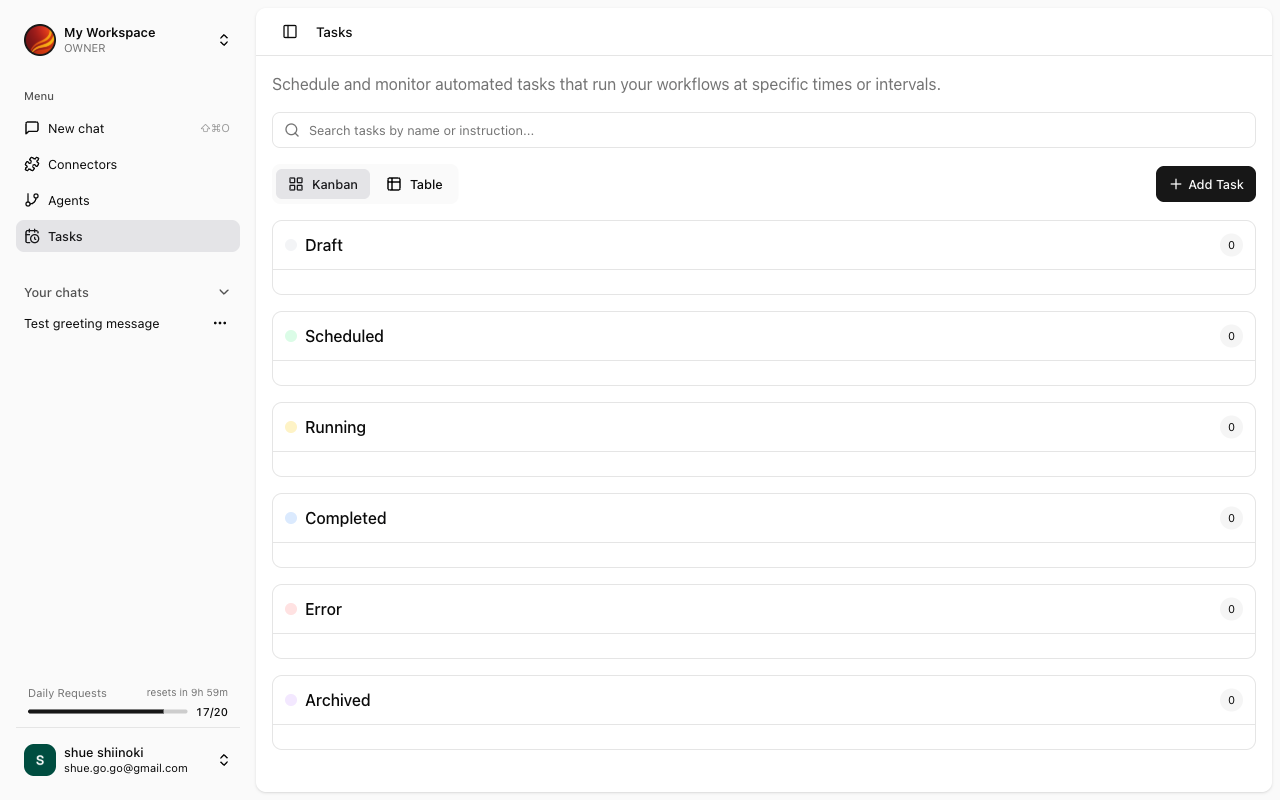
What are Tasks
Tasks are units that manage agent execution. They consist of the following elements:Screen Layout
The Task Management screen consists of the following sections:Task List
Displays a list of created tasks. For each task, the following information is displayed:- Task name
- Agent used
- Execution status (Draft/Scheduled/Completed)
- Next execution time
- Last execution time
Drafts
Displays tasks before schedule settings. For more details, see Draft Management.Scheduled
Displays tasks with execution times set. For more details, see Scheduled Execution.Accessing Task Management
1
Click 'Tasks' in the Side Panel
Select “Tasks” from the side menu.
2
Task Management Screen Appears
The task list is displayed.
Key Features
Creating Tasks
Create new tasks
Draft Management
Edit and manage draft tasks
Scheduled Execution
Set task execution times
Task Use Cases
Weekly Report Auto-generation
Weekly Report Auto-generation
- Agent: Sales Report Creation Agent
- Initial Input: “Please create this week’s sales report”
- Execution Time: Every Friday at 17:00
Daily Data Aggregation
Daily Data Aggregation
- Agent: Data Analysis Agent
- Initial Input: “Please aggregate yesterday’s sales data”
- Execution Time: Every day at 9:00
Monthly Report Creation
Monthly Report Creation
- Agent: Report Creation Agent
- Initial Input: “Please create last month’s activity report”
- Execution Time: 1st of every month at 10:00