

 Jinba Flow
 Jinba App
 Jinba Toolbox
What You’ll Build
A workflow that:- Searches Google for a topic you specify
- Summarizes the results using AI
- Returns a concise summary
Prerequisites
- A Jinba Flow account (Sign up here)
- No coding experience required
Steps
1
Sign in to Jinba Flow
Go to flow.jinba.io and sign in to your account.
2
Describe your workflow
In the chat panel, type a natural language description of what you want to accomplish:Click “Create Flow” (or press Enter) to let the AI generate your workflow.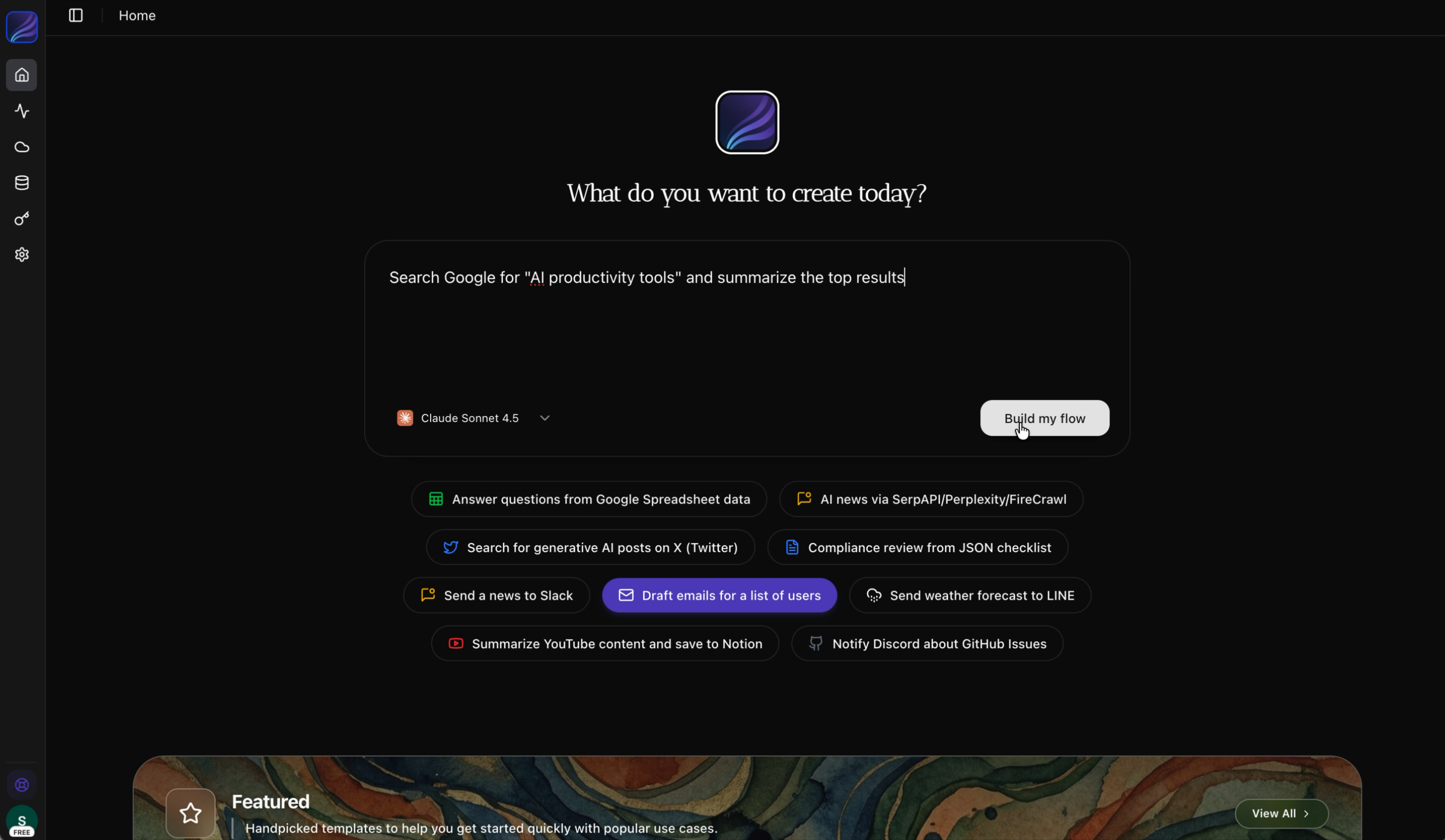
3
Flow Generation
The flow is created in the left chat panel, and a manifest defining the step structure is automatically generated in the right YAML coding panel.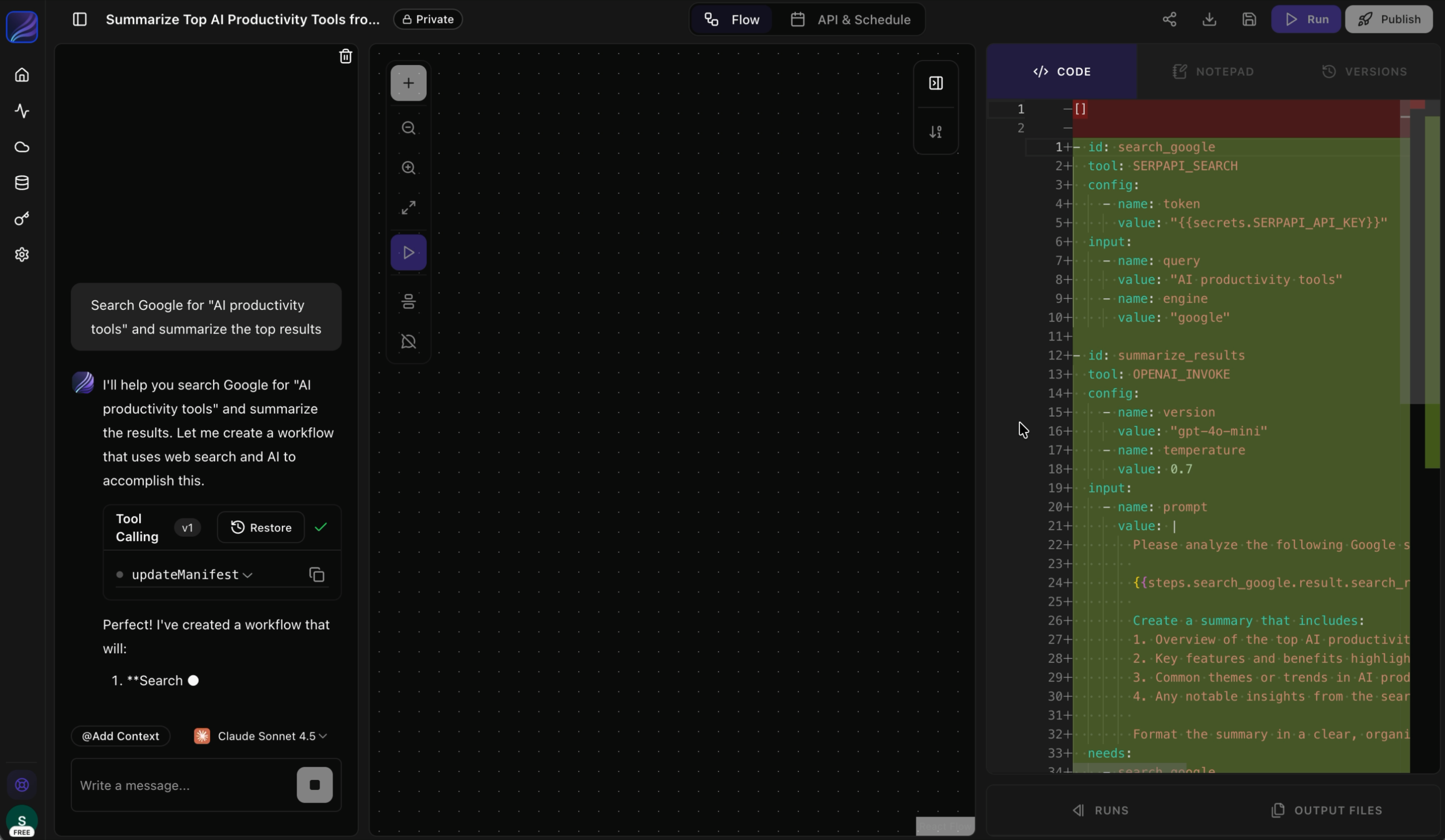
4
Accept the Flow
Review the AI-generated flow and click “Accept Changes” to confirm the generated workflow.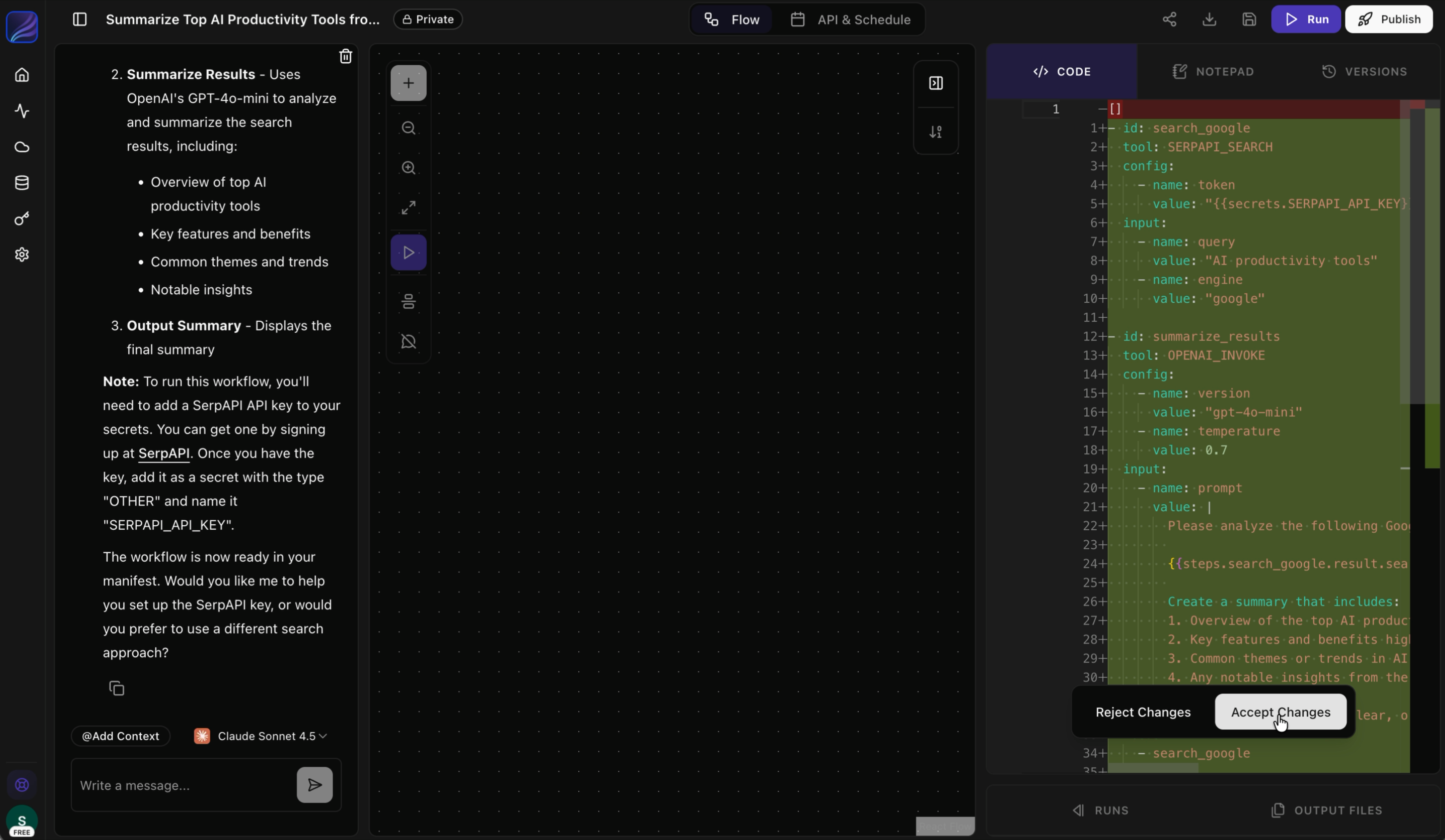
5
Execute the Flow
Once the flow is confirmed, the workflow will be displayed in the central graph editor.
Click the “Execute” button in the top right to run the workflow.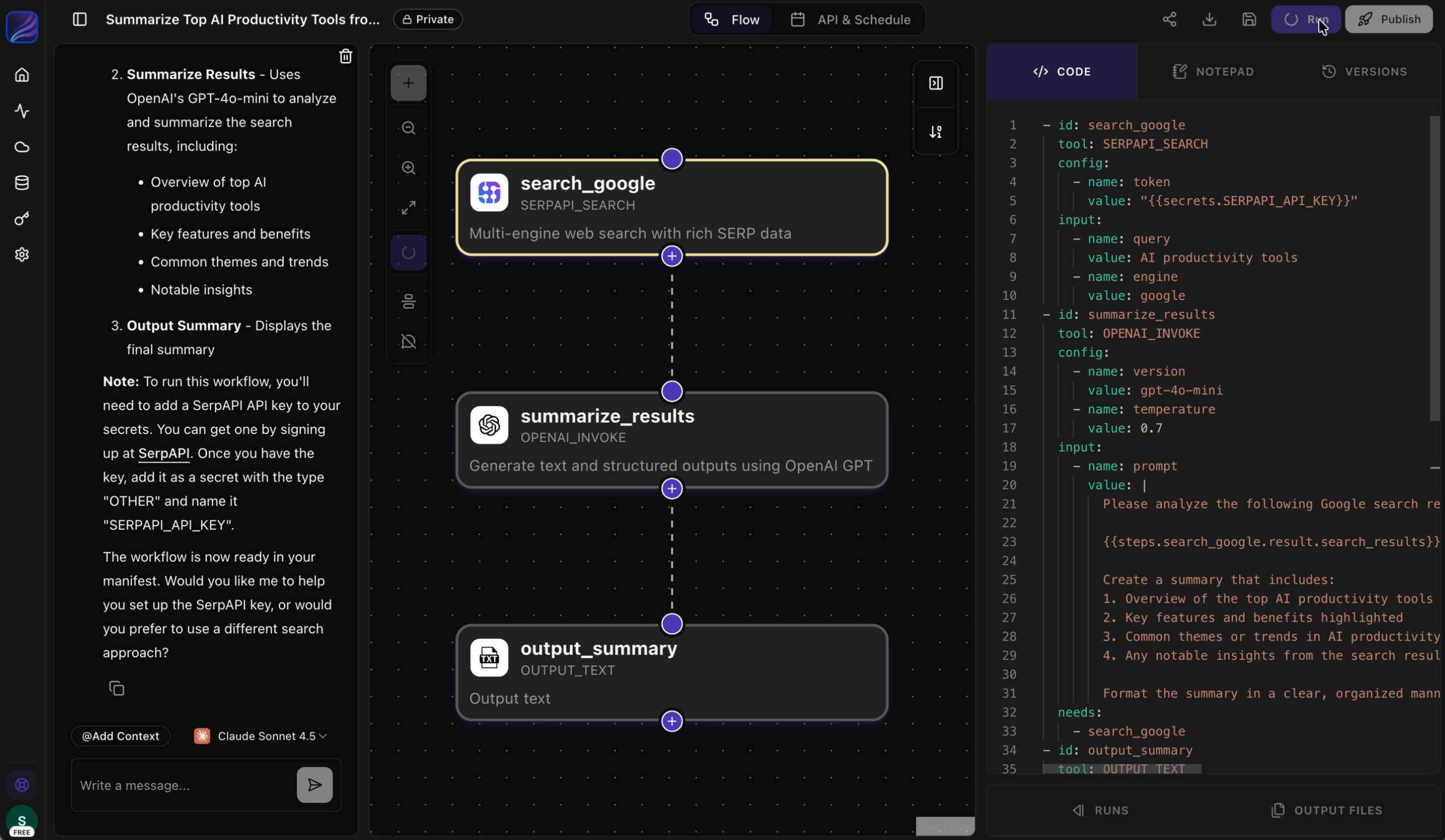
6
View Execution Results
Once execution completes successfully, click “View Details” displayed at the bottom right to check the execution results.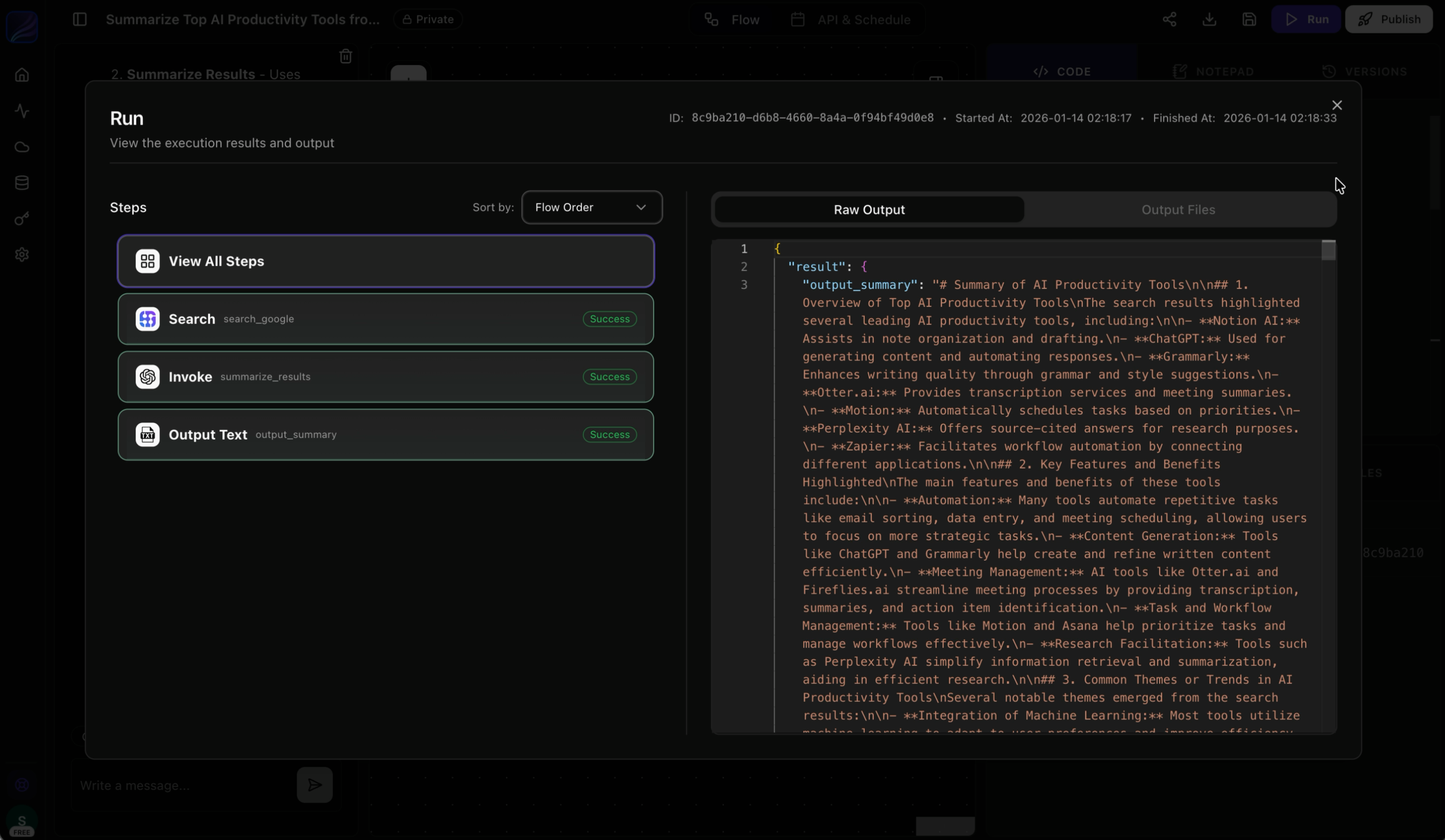
7
Deploy your Flow
Once the flow has executed successfully, click the “Deploy” button in the top right to publish your workflow.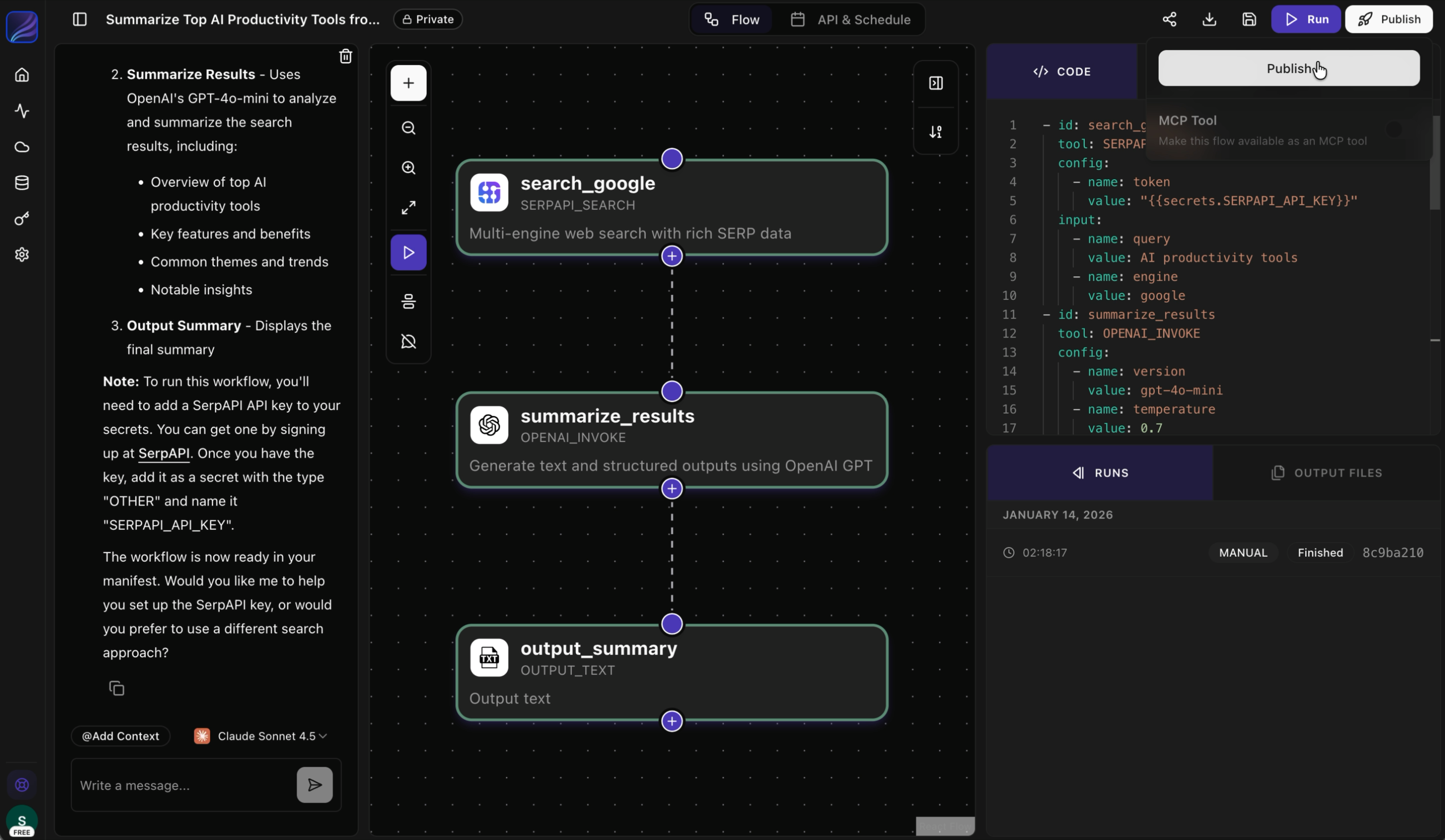
What’s Next?
Core Concepts
Learn the key terms and concepts used in Jinba Flow
Workflow Creation
Explore the three ways to create workflows
Available Tools
Browse the catalog of tools you can use
Set Up Credentials
Connect your external services