

 Jinba Flow
 Jinba App
 Jinba Toolbox
Key Terms
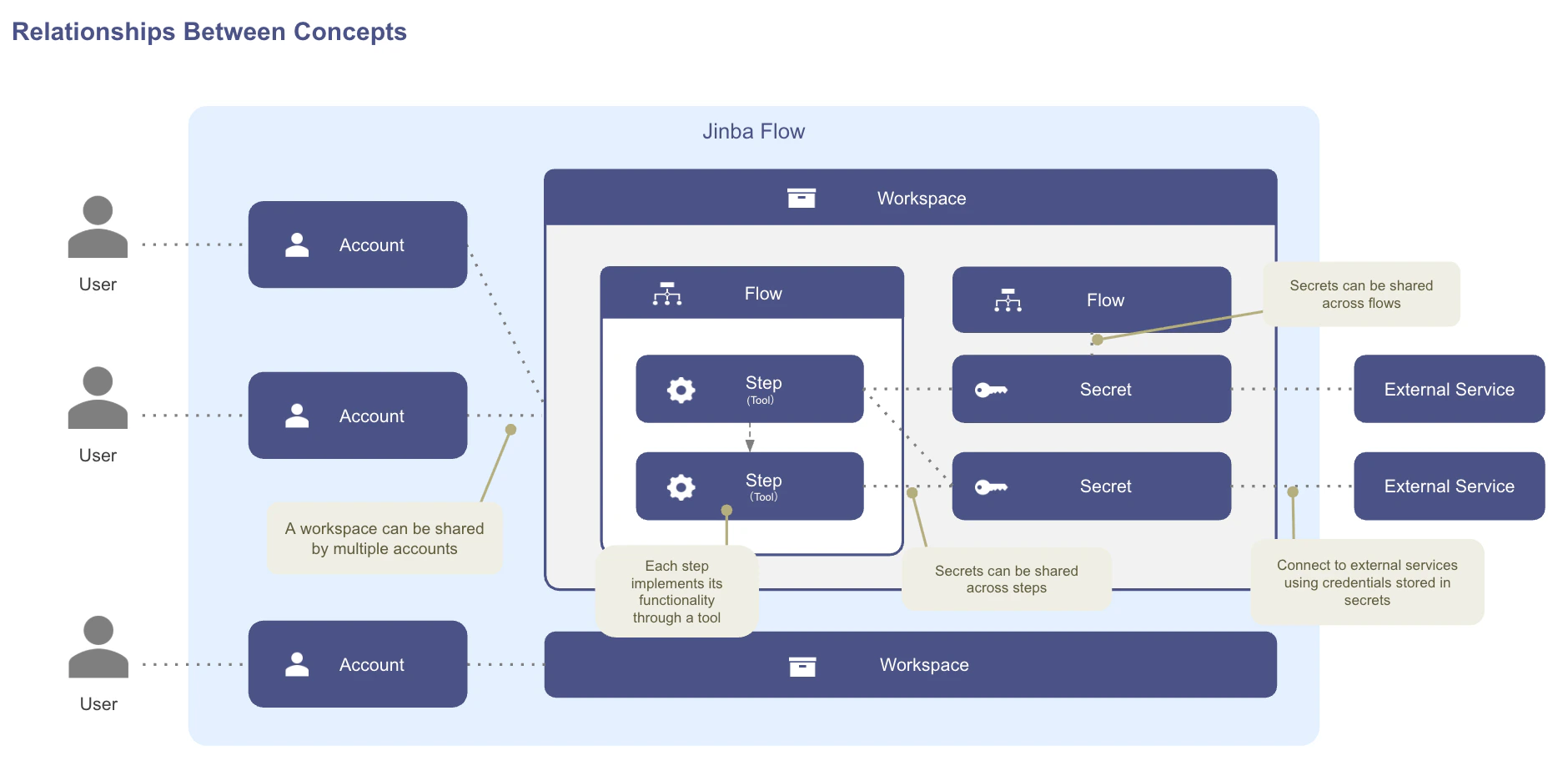
The diagram below shows how these concepts relate to each other:
- A single Workspace can be shared by multiple Accounts, and one Account can belong to several Workspaces.
- Each Workspace contains one or more Flows, and every Flow is composed of ordered Steps.
- Each Step implements its functionality through exactly one Tool.
- Secrets live at the Workspace level, but the same Secret can be reused across multiple Flows and Steps inside that Workspace.
- Secrets are how Steps reach External Services (APIs, OAuth integrations) without exposing credentials in flow definitions.
What’s Next?
Workflow Creation Overview
Learn about the three ways to create workflows
Chat Panel
Create workflows using natural language