> ## Documentation Index
> Fetch the complete documentation index at: https://docs.jinba.io/llms.txt
> Use this file to discover all available pages before exploring further.
# Skills Overview
> How skills — reusable playbooks and instructions for the AI — work
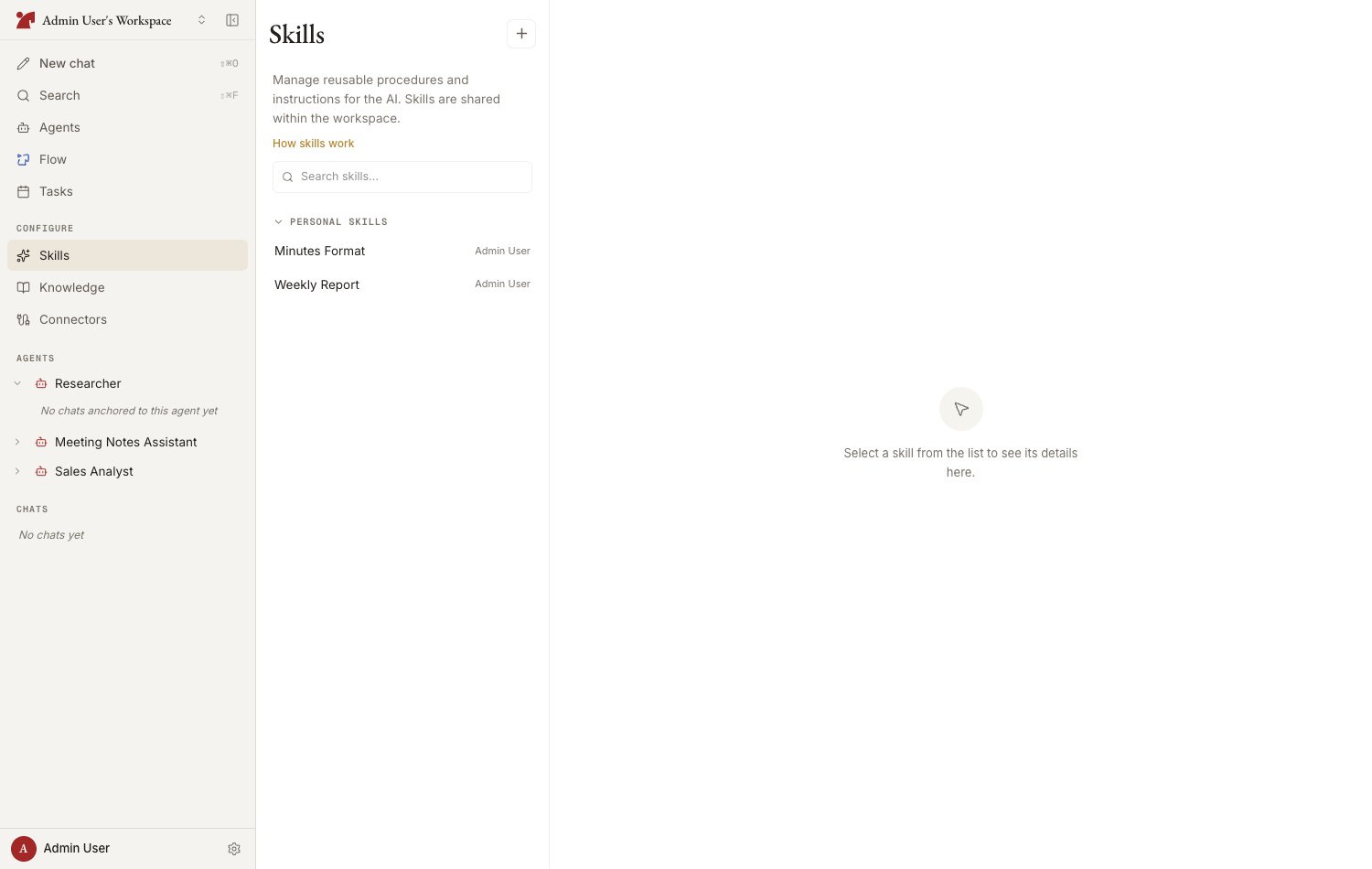
A **skill** is a reusable playbook or set of instructions the AI can draw on. Write routine know-how in Markdown — "How to create an invoice," "Report formatting," "Translation tone guide" — and the AI will reference it at the right moments.
Workspace-shared skills are managed on the "**Skills**" page in the "Configure" section of the sidebar.
 ## Anatomy of a skill
A skill follows the SKILL.md format: metadata (frontmatter) plus a body.
| Field | Description |
| ---------------------------- | -------------------------------------------------------------------------------------- |
| **Name** | The skill's name (e.g., PDF Extract) |
| **Description** | What the skill does and when to use it. This is how the AI decides which skill to pick |
| **Allowed tools** (optional) | Restricts which tools this skill may use. Leave blank for no restriction |
| **Body** | The procedures and instructions, written in Markdown |
## Where skills are saved (scope)
| Location | Description |
| -------------------- | ---------------------------------------------------------------------------------------- |
| **Workspace shared** | Attachable by every agent. Shown on the Skills page |
| **Agent-specific** | Used by one agent only. Managed in the Skills section of the agent's configuration panel |
You can promote (agent-specific → shared) or demote (shared → agent-specific) a skill later. To tweak a shared skill for one agent, use "Copy to this agent and edit" (fork).
## Four ways to create a skill
Write SKILL.md directly from "New skill" on the Skills page
Enter a name and description, then "Auto-generate body"
Import an existing SKILL.md by drag & drop or paste
The AI suggests turning procedures established in conversation into skills
## Limits
There are limits on the number of skills attachable to a single agent and on the number of skills in the workspace catalog (these come from the underlying Anthropic Managed Agents platform). If you hit a limit, consider consolidating or pruning existing skills.
## Provenance
The skill list shows each skill's provenance (**created by you / AI-generated / imported**), and you can filter by it.
## Anatomy of a skill
A skill follows the SKILL.md format: metadata (frontmatter) plus a body.
| Field | Description |
| ---------------------------- | -------------------------------------------------------------------------------------- |
| **Name** | The skill's name (e.g., PDF Extract) |
| **Description** | What the skill does and when to use it. This is how the AI decides which skill to pick |
| **Allowed tools** (optional) | Restricts which tools this skill may use. Leave blank for no restriction |
| **Body** | The procedures and instructions, written in Markdown |
## Where skills are saved (scope)
| Location | Description |
| -------------------- | ---------------------------------------------------------------------------------------- |
| **Workspace shared** | Attachable by every agent. Shown on the Skills page |
| **Agent-specific** | Used by one agent only. Managed in the Skills section of the agent's configuration panel |
You can promote (agent-specific → shared) or demote (shared → agent-specific) a skill later. To tweak a shared skill for one agent, use "Copy to this agent and edit" (fork).
## Four ways to create a skill
Write SKILL.md directly from "New skill" on the Skills page
Enter a name and description, then "Auto-generate body"
Import an existing SKILL.md by drag & drop or paste
The AI suggests turning procedures established in conversation into skills
## Limits
There are limits on the number of skills attachable to a single agent and on the number of skills in the workspace catalog (these come from the underlying Anthropic Managed Agents platform). If you hit a limit, consider consolidating or pruning existing skills.
## Provenance
The skill list shows each skill's provenance (**created by you / AI-generated / imported**), and you can filter by it.