> ## Documentation Index
> Fetch the complete documentation index at: https://docs.jinba.io/llms.txt
> Use this file to discover all available pages before exploring further.
# Knowledge overview
> How knowledge — the material the AI reads and references — works
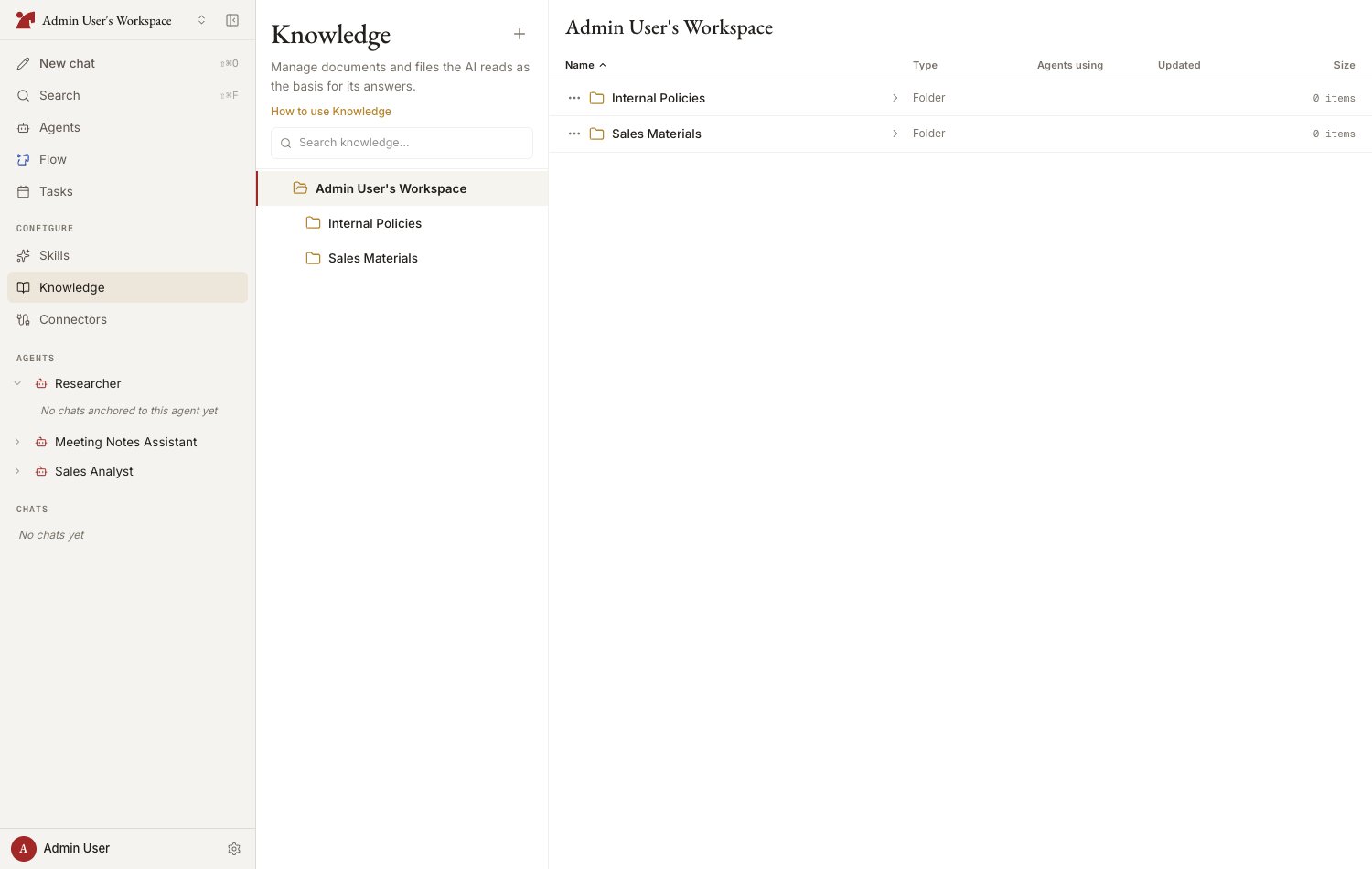
**Knowledge** is where you keep the material the AI reads to ground its answers. Register internal documents, URLs, and Notion pages, organize them into folders, and attach them to agents. Workspace-shared knowledge is managed on the "**Knowledge**" page in the "Configure" section of the sidebar.
 ## Source types
| Type | Description |
| ---------------- | ------------------------------------------------------------- |
| **Files** | Uploaded PDFs, Office documents, text files, and more |
| **URLs** | Imported web pages (HTML / PDF / Atom / RSS) |
| **Notion pages** | Connect the Notion integration and paste a page URL to import |
## Where knowledge lives
| Location | Where to manage it | Available to |
| -------------------- | ------------------------------- | ----------------------------- |
| **Workspace shared** | Sidebar > Configure > Knowledge | Every agent it is attached to |
| **Agent-specific** | The agent's Knowledge tab | That agent only |
## Sync status
Registered sources go through an import (sync) process. Check their state via the status in the list.
| Status | Meaning |
| ----------- | ---------------------------------------------- |
| **Synced** | Import is complete and the AI can reference it |
| **Pending** | Import is queued or in progress |
| **Error** | Import failed. Edit the source and retry |
For URLs and Notion pages, use "**Re-fetch**" to pull in the latest content.
## How the AI sees knowledge
* Knowledge attached to an agent is loaded automatically when a chat starts
* There is a limit on how many sources are auto-loaded. The AI can still **search for and retrieve** sources beyond the limit, so large libraries remain useful
* You can also reference a specific file or folder on the spot with `[[` in the chat composer
## Next steps
Registering from files, URLs, and Notion
Folder hierarchy, auto-sync, and the auto-load limit
## Source types
| Type | Description |
| ---------------- | ------------------------------------------------------------- |
| **Files** | Uploaded PDFs, Office documents, text files, and more |
| **URLs** | Imported web pages (HTML / PDF / Atom / RSS) |
| **Notion pages** | Connect the Notion integration and paste a page URL to import |
## Where knowledge lives
| Location | Where to manage it | Available to |
| -------------------- | ------------------------------- | ----------------------------- |
| **Workspace shared** | Sidebar > Configure > Knowledge | Every agent it is attached to |
| **Agent-specific** | The agent's Knowledge tab | That agent only |
## Sync status
Registered sources go through an import (sync) process. Check their state via the status in the list.
| Status | Meaning |
| ----------- | ---------------------------------------------- |
| **Synced** | Import is complete and the AI can reference it |
| **Pending** | Import is queued or in progress |
| **Error** | Import failed. Edit the source and retry |
For URLs and Notion pages, use "**Re-fetch**" to pull in the latest content.
## How the AI sees knowledge
* Knowledge attached to an agent is loaded automatically when a chat starts
* There is a limit on how many sources are auto-loaded. The AI can still **search for and retrieve** sources beyond the limit, so large libraries remain useful
* You can also reference a specific file or folder on the spot with `[[` in the chat composer
## Next steps
Registering from files, URLs, and Notion
Folder hierarchy, auto-sync, and the auto-load limit