> ## Documentation Index
> Fetch the complete documentation index at: https://docs.jinba.io/llms.txt
> Use this file to discover all available pages before exploring further.
# Agents overview
> What agents are and how to use them by purpose
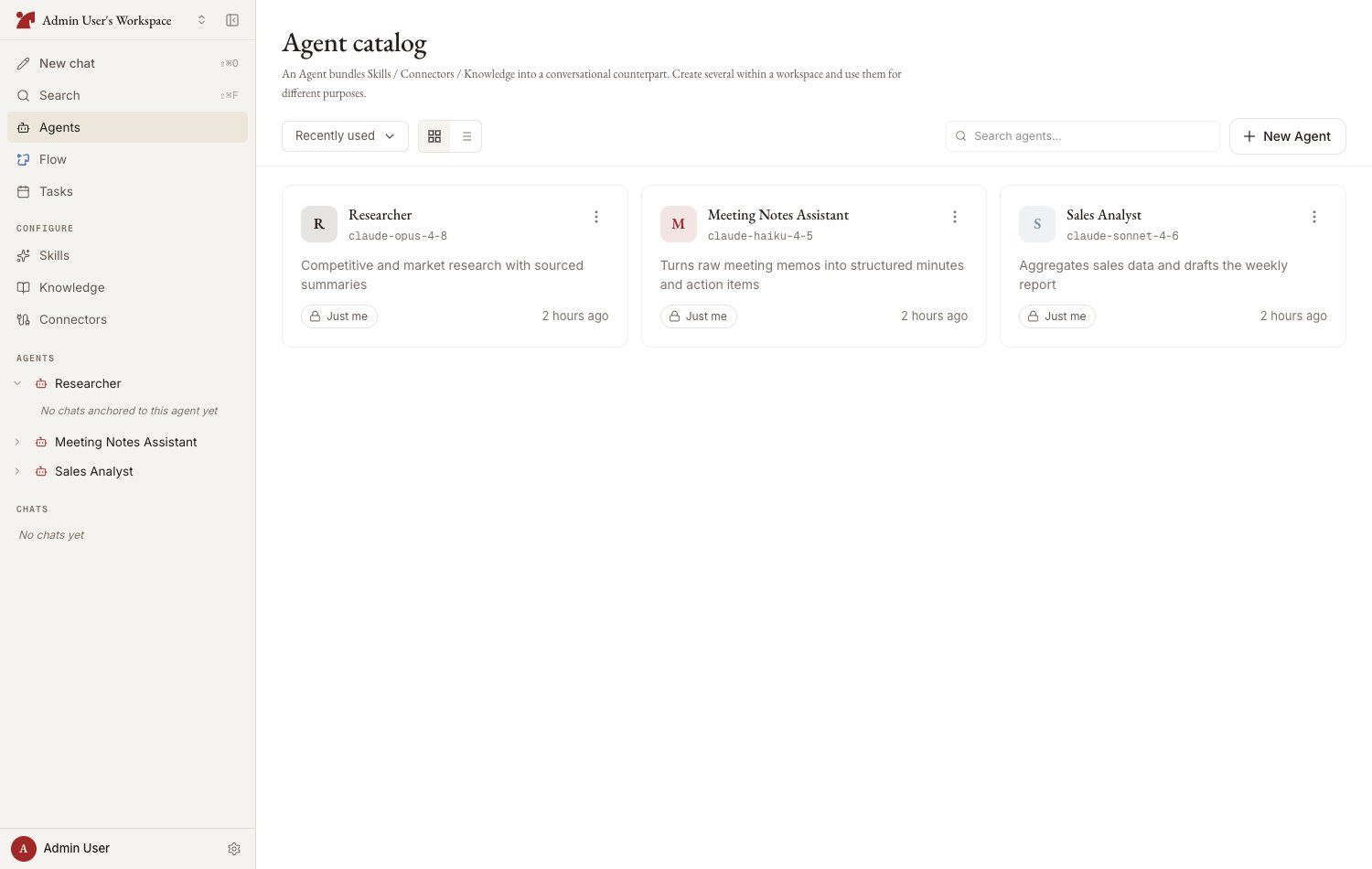
An **agent** is a conversation partner that bundles skills, connectors, and knowledge. Create several in a workspace and switch between them by purpose.
 ## What an agent has
| Component | Description |
| ----------------- | ------------------------------------------------------------------------------------------- |
| **Model** | The Claude model that generates responses (Opus 4.8 / Sonnet 4.6 / Haiku 4.5) |
| **System prompt** | Instructions for behavior, tone, and constraints |
| **Skills** | Attached playbooks and instructions |
| **Connectors** | Attached external service integrations (jinba-flow, MCP) |
| **Knowledge** | Attached reference material |
| **Memory** | What the AI has learned from conversations with this agent (shared by everyone who uses it) |
## Agent list
Open the workspace's agent catalog from "Agents" in the sidebar.
* **View toggle** — grid / list
* **Sort** — recently used / creation date / name
* **Search** — filter by name
* **Pinning** — pin frequently used agents for quick access from the sidebar
## Agent detail page
Selecting an agent opens its detail page, organized into tabs:
| Tab | Contents |
| -------------- | ------------------------------------------------------------------------------------- |
| **Chat** | Start a new chat with this agent. Also lists past chats |
| **Skills** | Attach or create skills |
| **Connectors** | Attach connectors or create agent-specific connections |
| **Knowledge** | Attach knowledge or register agent-specific material |
| **Memory** | View and manage agent memory |
| **Activity** | Recent chats using this agent |
| **Settings** | Name, description, model, system prompt, avatar, version history, archive, and delete |
## Permissions
* An agent's settings can be changed by its **creator**, a **workspace owner**, or members granted "Can edit" permission when the agent was shared
* Members with "Use only" permission can chat with the agent but cannot change its settings
## Next steps
Setting the name, model, and system prompt — with auto-generation
How to attach skills, connectors, and knowledge
Configuring sharing scope and permissions
Version history, archiving, and deletion
## What an agent has
| Component | Description |
| ----------------- | ------------------------------------------------------------------------------------------- |
| **Model** | The Claude model that generates responses (Opus 4.8 / Sonnet 4.6 / Haiku 4.5) |
| **System prompt** | Instructions for behavior, tone, and constraints |
| **Skills** | Attached playbooks and instructions |
| **Connectors** | Attached external service integrations (jinba-flow, MCP) |
| **Knowledge** | Attached reference material |
| **Memory** | What the AI has learned from conversations with this agent (shared by everyone who uses it) |
## Agent list
Open the workspace's agent catalog from "Agents" in the sidebar.
* **View toggle** — grid / list
* **Sort** — recently used / creation date / name
* **Search** — filter by name
* **Pinning** — pin frequently used agents for quick access from the sidebar
## Agent detail page
Selecting an agent opens its detail page, organized into tabs:
| Tab | Contents |
| -------------- | ------------------------------------------------------------------------------------- |
| **Chat** | Start a new chat with this agent. Also lists past chats |
| **Skills** | Attach or create skills |
| **Connectors** | Attach connectors or create agent-specific connections |
| **Knowledge** | Attach knowledge or register agent-specific material |
| **Memory** | View and manage agent memory |
| **Activity** | Recent chats using this agent |
| **Settings** | Name, description, model, system prompt, avatar, version history, archive, and delete |
## Permissions
* An agent's settings can be changed by its **creator**, a **workspace owner**, or members granted "Can edit" permission when the agent was shared
* Members with "Use only" permission can chat with the agent but cannot change its settings
## Next steps
Setting the name, model, and system prompt — with auto-generation
How to attach skills, connectors, and knowledge
Configuring sharing scope and permissions
Version history, archiving, and deletion