> ## Documentation Index
> Fetch the complete documentation index at: https://docs.jinba.io/llms.txt
> Use this file to discover all available pages before exploring further.
# Jinba Flow Connectors
> Connecting, installing, and managing Jinba Flow connectors
## What are Jinba Flow Connectors
Jinba Flow is an external workflow service that can integrate with Jinba App. You can install connectors created in Jinba Flow to Jinba App and use them from chat.
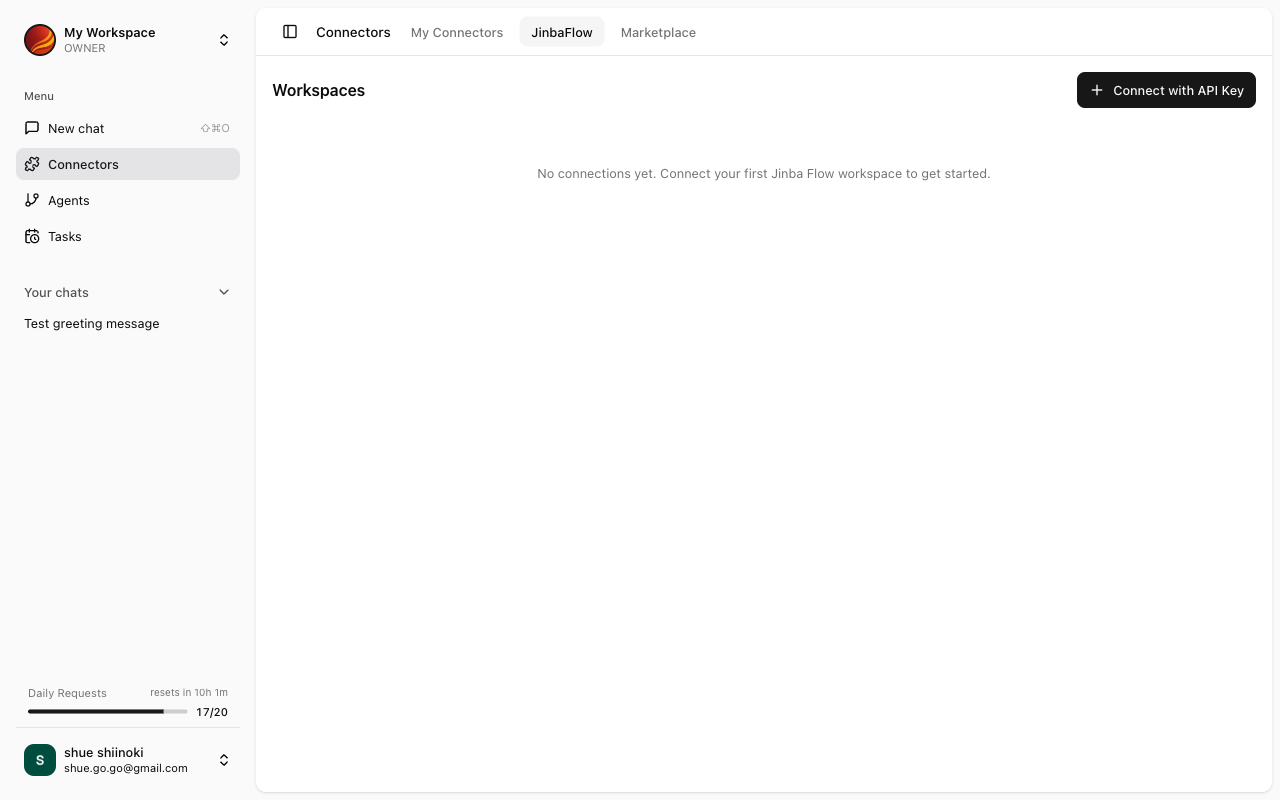 ## Jinba Flow Connector List
Available connectors are displayed in the "Jinba Flow Connectors" section of the Connector Management screen.
The list displays the following information:
| Field | Description |
| --------------------- | ------------------------------------------------- |
| **Connector Name** | Name of the connector as configured in Jinba Flow |
| **Description** | Overview of the connector's features |
| **Connection Status** | Connected / Not Connected |
| **Tool Count** | Number of tools provided by the connector |
## One-click Connect and Install
Jinba Flow connectors can be connected and installed simultaneously with one click.
Find the connector you want to install from the Jinba Flow connector list.
Click the "Connect" button on the connector card.
{/* TODO: Screenshot - Connect button */}
Once connected, the connector is automatically installed and added to My Connectors.
{/* TODO: Screenshot - Connection complete message */}
One-click connection automatically uses the authentication credentials configured in Jinba Flow.
## Refreshing Connection
When connector settings have been updated in Jinba Flow, you can refresh the connection information in Jinba App.
### When Refresh is Needed
* When tools have been added or changed in Jinba Flow
* When authentication settings have been changed in Jinba Flow
* When connection errors occur
### Refresh Steps
Click the Jinba Flow connector you want to refresh from the My Connectors list.
Click the settings menu (⋮) on the connector details screen.
Select "Refresh Connection" from the menu.
A confirmation message will appear when the refresh is complete.
## Disconnecting
Disconnecting a Jinba Flow connector will uninstall that connector from Jinba App.
Once disconnected, the connector will no longer be available in chat. You will need to reconnect to use it again.
### Disconnect Steps
Click the Jinba Flow connector you want to disconnect from the My Connectors list.
Click the settings menu (⋮) on the connector details screen.
Select "Disconnect" from the menu.
A confirmation dialog will appear. Click "Disconnect" to confirm.
## Troubleshooting
Please check the following:
* Is the connector properly configured in Jinba Flow?
* Does your Jinba Flow account have the appropriate permissions?
* Are your Jinba App and Jinba Flow accounts linked?
* Check the authentication settings in Jinba Flow
* Wait a moment and try again
* If the problem persists, contact support
* Verify the changes have been saved in Jinba Flow
* This may be due to cache. Try reloading the browser
## Jinba Flow Connector List
Available connectors are displayed in the "Jinba Flow Connectors" section of the Connector Management screen.
The list displays the following information:
| Field | Description |
| --------------------- | ------------------------------------------------- |
| **Connector Name** | Name of the connector as configured in Jinba Flow |
| **Description** | Overview of the connector's features |
| **Connection Status** | Connected / Not Connected |
| **Tool Count** | Number of tools provided by the connector |
## One-click Connect and Install
Jinba Flow connectors can be connected and installed simultaneously with one click.
Find the connector you want to install from the Jinba Flow connector list.
Click the "Connect" button on the connector card.
{/* TODO: Screenshot - Connect button */}
Once connected, the connector is automatically installed and added to My Connectors.
{/* TODO: Screenshot - Connection complete message */}
One-click connection automatically uses the authentication credentials configured in Jinba Flow.
## Refreshing Connection
When connector settings have been updated in Jinba Flow, you can refresh the connection information in Jinba App.
### When Refresh is Needed
* When tools have been added or changed in Jinba Flow
* When authentication settings have been changed in Jinba Flow
* When connection errors occur
### Refresh Steps
Click the Jinba Flow connector you want to refresh from the My Connectors list.
Click the settings menu (⋮) on the connector details screen.
Select "Refresh Connection" from the menu.
A confirmation message will appear when the refresh is complete.
## Disconnecting
Disconnecting a Jinba Flow connector will uninstall that connector from Jinba App.
Once disconnected, the connector will no longer be available in chat. You will need to reconnect to use it again.
### Disconnect Steps
Click the Jinba Flow connector you want to disconnect from the My Connectors list.
Click the settings menu (⋮) on the connector details screen.
Select "Disconnect" from the menu.
A confirmation dialog will appear. Click "Disconnect" to confirm.
## Troubleshooting
Please check the following:
* Is the connector properly configured in Jinba Flow?
* Does your Jinba Flow account have the appropriate permissions?
* Are your Jinba App and Jinba Flow accounts linked?
* Check the authentication settings in Jinba Flow
* Wait a moment and try again
* If the problem persists, contact support
* Verify the changes have been saved in Jinba Flow
* This may be due to cache. Try reloading the browser