> ## Documentation Index
> Fetch the complete documentation index at: https://docs.jinba.io/llms.txt
> Use this file to discover all available pages before exploring further.
# Receiving AI Responses
> Display formats and how to review AI responses
## AI Responses
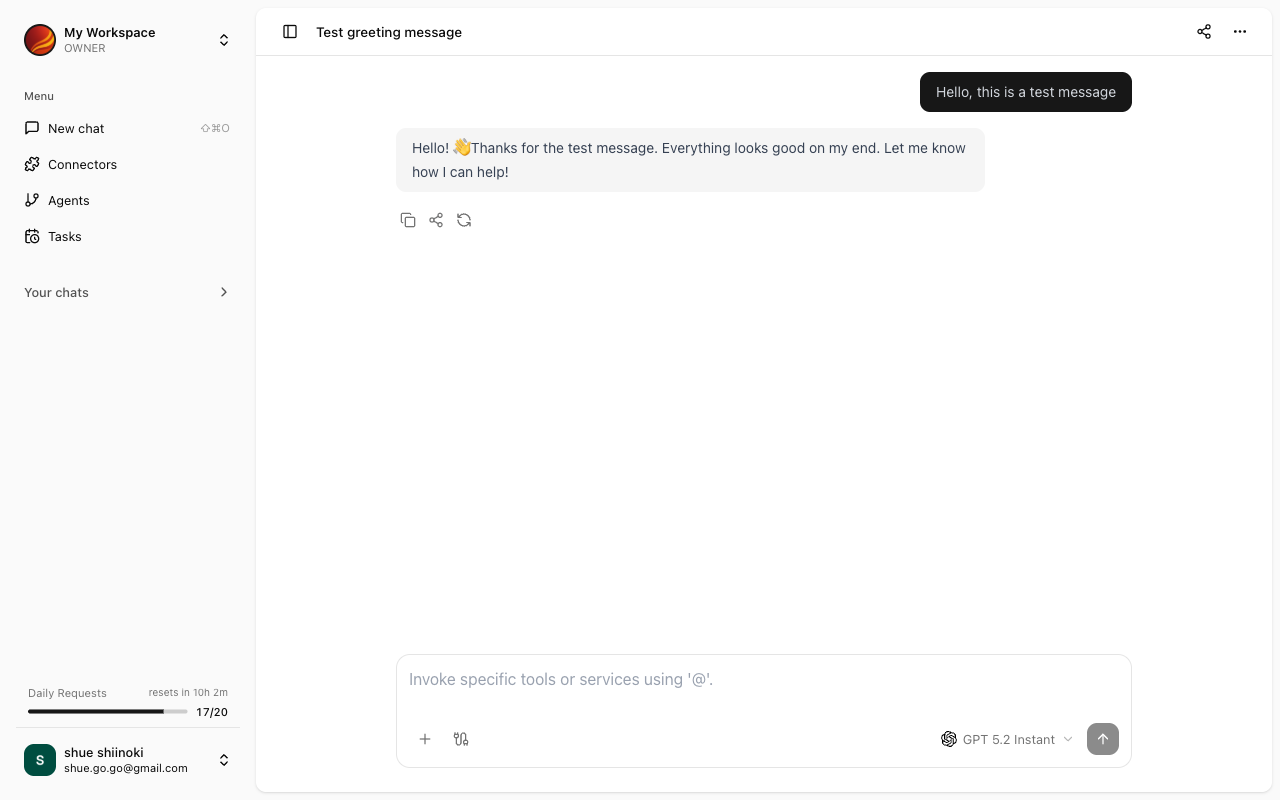
When you send a message, AI generates a response and displays it on the chat screen.
 ## Response Display Formats
AI responses are displayed in various formats depending on the content.
### Text
Regular text is formatted for easy reading.
### Markdown
AI responses are formatted in Markdown. The following elements are properly styled:
* **Headings**: Used for section divisions
* **Lists**: Bulleted or numbered lists
* **Bold/Italic**: Emphasis
* **Links**: Click to navigate to external sites
* **Tables**: Organized data display
### Code Blocks
Program code is displayed with syntax highlighting (color coding).
Code block features:
* **Automatic language detection**: Appropriate syntax highlighting is applied
* **Copy button**: Copy code with one click
### Mermaid Diagrams
If AI generates a diagram in Mermaid format, it is automatically visualized.
Supported diagram types:
* Flowcharts
* Sequence diagrams
* Class diagrams
* Gantt charts
* Other Mermaid-supported formats
### Tabular Data
When data is returned in table format, it is displayed as a readable table.
## Connector Execution Results
When connectors are used, their execution results are included in the response.
* Name of the connector used
* Retrieved or processed data
* Success/failure status of execution
## Working with Responses
### Copy
You can copy part or all of the response.
* **Text selection**: Drag to select and copy
* **Code blocks**: Click the copy button
### Follow-up Questions
You can continue asking questions about the response. AI considers the context of the previous conversation when responding.
```
Please explain in more detail.
```
```
Can you give me a specific example of the third point?
```
## During Response Generation
While AI is generating a response, a loading indicator is displayed.
* Responses are displayed with **streaming**, appearing on screen as they are generated
* For long responses, you can start reading the content without waiting for completion
## Error Display
If an error occurs during response generation, an error message is displayed.
This may be a temporary error. Please wait a moment and try again.
Check the connector connection status in the [Connector Management screen](/en/pages/jinba_app/connectors/overview).
## Response Display Formats
AI responses are displayed in various formats depending on the content.
### Text
Regular text is formatted for easy reading.
### Markdown
AI responses are formatted in Markdown. The following elements are properly styled:
* **Headings**: Used for section divisions
* **Lists**: Bulleted or numbered lists
* **Bold/Italic**: Emphasis
* **Links**: Click to navigate to external sites
* **Tables**: Organized data display
### Code Blocks
Program code is displayed with syntax highlighting (color coding).
Code block features:
* **Automatic language detection**: Appropriate syntax highlighting is applied
* **Copy button**: Copy code with one click
### Mermaid Diagrams
If AI generates a diagram in Mermaid format, it is automatically visualized.
Supported diagram types:
* Flowcharts
* Sequence diagrams
* Class diagrams
* Gantt charts
* Other Mermaid-supported formats
### Tabular Data
When data is returned in table format, it is displayed as a readable table.
## Connector Execution Results
When connectors are used, their execution results are included in the response.
* Name of the connector used
* Retrieved or processed data
* Success/failure status of execution
## Working with Responses
### Copy
You can copy part or all of the response.
* **Text selection**: Drag to select and copy
* **Code blocks**: Click the copy button
### Follow-up Questions
You can continue asking questions about the response. AI considers the context of the previous conversation when responding.
```
Please explain in more detail.
```
```
Can you give me a specific example of the third point?
```
## During Response Generation
While AI is generating a response, a loading indicator is displayed.
* Responses are displayed with **streaming**, appearing on screen as they are generated
* For long responses, you can start reading the content without waiting for completion
## Error Display
If an error occurs during response generation, an error message is displayed.
This may be a temporary error. Please wait a moment and try again.
Check the connector connection status in the [Connector Management screen](/en/pages/jinba_app/connectors/overview).