> ## Documentation Index
> Fetch the complete documentation index at: https://docs.jinba.io/llms.txt
> Use this file to discover all available pages before exploring further.
# Core Concepts
> Essential terminology and concepts for understanding Jinba Flow
Understanding these core concepts will help you build effective workflows in Jinba Flow.
## Key Terms
| Term | Definition | Example |
| ------------- | ----------------------------------------------------------- | ------------------------------------------------------------------------------------------------------ |
| **Flow** | A workflow that connects multiple Steps with dependencies | Email received → AI summarizes → Slack notification. This refers to the entire sequence of processing. |
| **Step** | An individual unit of processing that makes up a Flow | Each individual process like receiving email, AI summarization, Slack notification. |
| **Tool** | A component that performs a specific action | AI models, API integrations, file processing |
| **Secrets** | Securely stored sensitive values | API keys, OAuth tokens |
| **Workspace** | A space to organize your Flows, Secrets, and team resources | Project workspace |
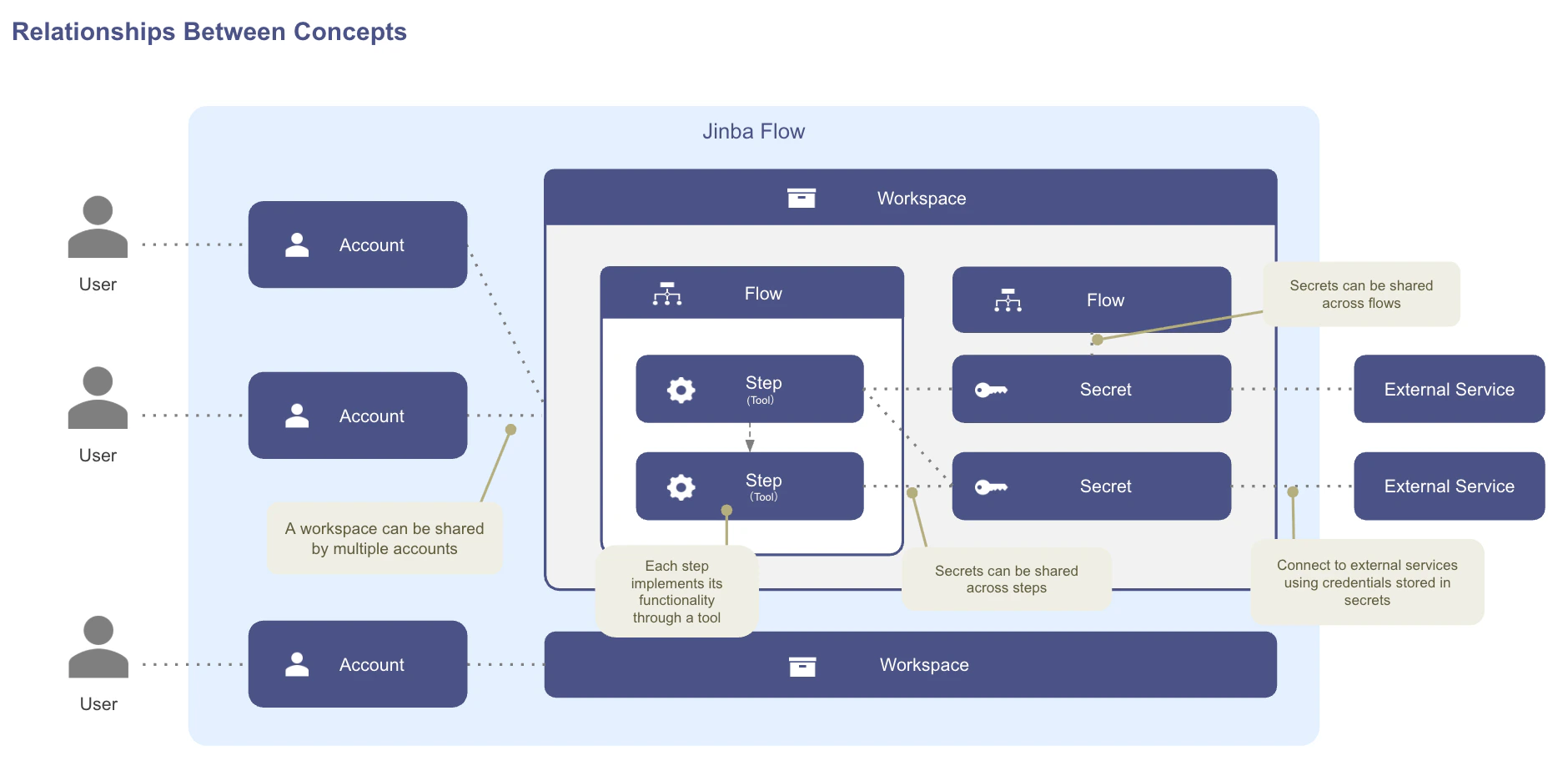
The diagram below shows how these concepts relate to each other:
* A single **Workspace** can be shared by multiple **Accounts**, and one Account can belong to several Workspaces.
* Each Workspace contains one or more **Flows**, and every Flow is composed of ordered **Steps**.
* Each Step implements its functionality through exactly one **Tool**.
* **Secrets** live at the Workspace level, but the same Secret can be reused across multiple Flows and Steps inside that Workspace.
* Secrets are how Steps reach **External Services** (APIs, OAuth integrations) without exposing credentials in flow definitions.
 ## What's Next?
Learn about the three ways to create workflows
Create workflows using natural language
## What's Next?
Learn about the three ways to create workflows
Create workflows using natural language